

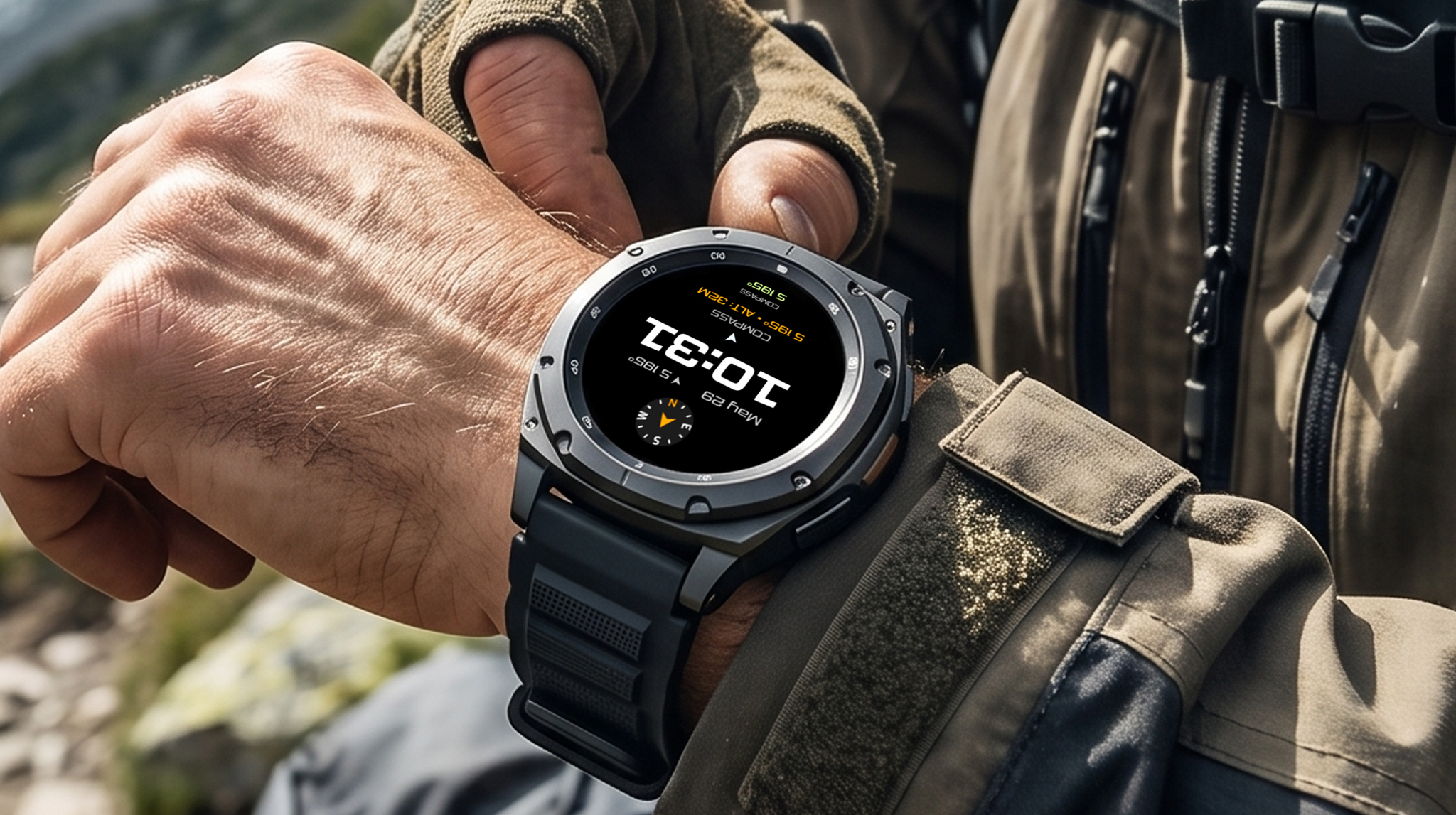
If you regularly hike, travel, cycle, or explore unfamiliar places, you've probably opened your smartwatch's compass app more than once. The problem is that the moment you close the app, your compass disappears.
A compass complication solves this problem by displaying live directional information directly on your watch face. Instead of constantly switching between apps, you can check your heading with a quick glance at your wrist.
Whether you're navigating city streets, following a hiking trail, or simply trying to work out which direction to walk after leaving a train station, having your compass always visible can make your smartwatch far more useful.
What Is a Wear OS Complication?
Complications are small widgets that display useful information directly on your watch face.
Depending on your watch face and installed apps, complications can show:
- Compass direction
- Weather
- Heart rate
- Step count
- Calendar events
- Battery level
- Sunrise and sunset times
- World clocks
Instead of opening multiple apps throughout the day, complications allow your most important information to stay visible at all times.
Why Use a Compass Complication?
Most Wear OS watches already include a built-in compass application.
However, opening a separate app every time you need your heading quickly becomes inconvenient.
A compass complication keeps directional information available directly on your watch face, making it ideal for:
- Hiking
- Camping
- Cycling
- Travelling overseas
- Exploring unfamiliar cities
- Geocaching
- Daily commuting
Even simple tasks become easier when you always know which direction you're facing.
Designed to Work with Almost Any Watch Face
Not every watch face uses the same complication layout.
Some provide compact complication slots, while others support larger information panels.
SimpleWF Compass Complication supports multiple Wear OS complication formats, including:
- Short Text
- Long Text
- Range Text
- Small Image
This allows the complication to integrate naturally with a wide variety of digital and analog watch faces.
One feature we designed specifically for everyday use is the Small Image complication.
When the compass is turned off, it automatically displays the current day and date instead of leaving an empty space on your watch face. This means you never lose a valuable complication slot when navigation isn't needed.
The Small Image complication can also be customised by changing its background, display language, and whether it shows an icon, title, both, or neither.
How Battery Optimisation Affects Compass Accuracy
One of the most common reasons Wear OS complications stop updating is Android's battery optimisation.
Many users don't realise that background restrictions can prevent location updates while the watch screen is off.
Battery Optimisation Disabled (Recommended if you're actively using)
Allowing unrestricted battery usage enables the app to continue updating in the background.
Benefits include:
- Continuous location tracking
- Live altitude updates
- Accurate True North calculations
- Reliable complication updates throughout the day
- Stable background service
- Accurate SOS coordinates even if the app hasn't been opened recently
For users who depend on navigation while travelling or hiking, this provides the most responsive experience.
Battery Optimisation Enabled
When battery optimisation remains enabled, Wear OS may aggressively pause background activity to save power.
Depending on your device, you may notice:
- Older coordinates appearing after waking the watch
- Delayed GPS updates
- Compass complications temporarily freezing
- Less accurate background location updates
- Several seconds before the compass refreshes after movement
Battery optimisation helps extend battery life, but it may reduce the responsiveness of navigation-based complications.
Built for Outdoor Adventures
Compass direction is only one part of outdoor navigation.
SimpleWF Compass Complication can also generate your current coordinates together with a Google Maps link using a single tap.
If you ever need assistance, you can quickly copy and share your precise location through your favourite messaging app.
This feature is especially useful for:
- Hiking
- Camping
- Trail running
- Cycling
- Road trips
- Travelling alone
Compatible with Travel-Focused Watch Faces
A compass complication becomes even more useful when paired with a watch face designed for navigation and travel.
For example, Travel Companion: DIGI 7 combines compass information with weather, health data, battery status and other custom complications in a clean dashboard that remains easy to read both indoors and outdoors.
Whether you're catching flights, hiking mountains or commuting through the city, having all your essential information on a single screen reduces the need to constantly switch between apps.
Frequently Asked Questions
Does it require GPS?
No.
The compass uses your smartwatch's built-in magnetometer to determine direction. GPS is only required when obtaining location coordinates.
Does it work offline?
Yes.
Compass direction continues working without an internet connection, making it useful while travelling or hiking in remote areas.
Which Wear OS watches are supported?
Most Wear OS watches with a built-in compass sensor are supported, including many Samsung Galaxy Watch, Google Pixel Watch, OnePlus Watch and Xiaomi Watch models.
Does it affect battery life?
Like any app using location services, battery usage depends on how often updates occur.
For users who want the most accurate live navigation, allowing unrestricted battery usage provides the best experience. Users who prioritise battery life can keep battery optimisation enabled, although updates may occur less frequently.
Final Thoughts
A smartwatch is most useful when important information is available exactly when you need it.
Instead of repeatedly opening a compass application, a compass complication keeps your heading visible throughout the day while still leaving room for weather, health metrics, calendar events and other useful information.
If you regularly travel, hike, cycle or simply enjoy exploring new places, adding a compass complication is one of the easiest ways to make your Wear OS smartwatch more practical.